
Hire a coworker
Hiring adds a new AI coworker to your roster. The wizard is built around an outcome rather than a configuration form, because describing what you want done is something you can do accurately, and specifying how it should be done is not.
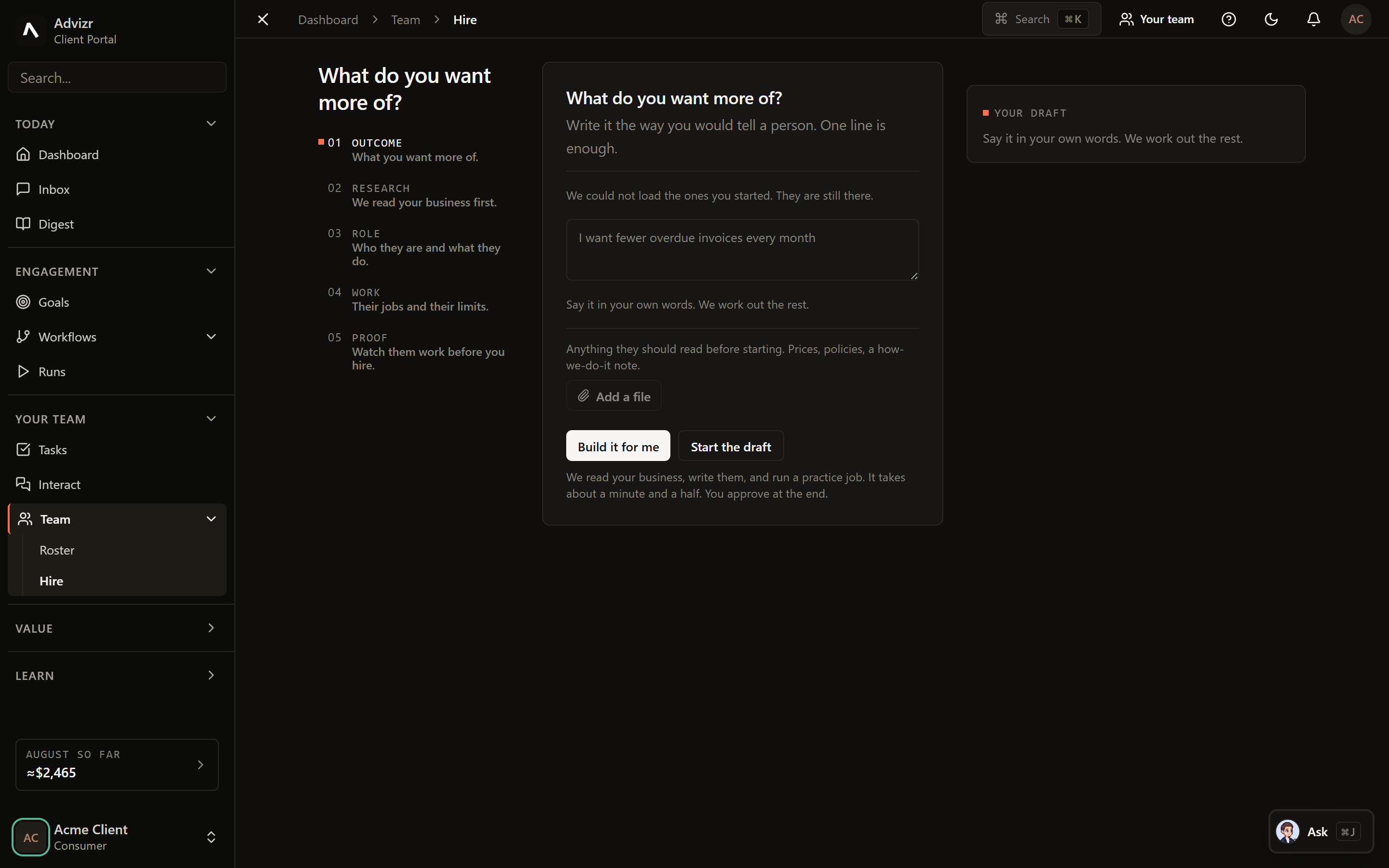
The wizard#
One field, plain language. “Keep our supplier records current and flag anything expiring in the next 60 days.”
The wizard asks what it needs to know, one question at a time, based on what you wrote. Skipping a question is allowed. It makes an assumption and tells you what it assumed.
You get a readable description of the coworker: its remit, what it is allowed to do, and what it will check with you about first.
Cosmetic, and worth doing anyway. A team of named colleagues is easier to reason about than a list of functions.
The coworker appears on your roster immediately and can be given work straight away.
What you are never asked to choose#
There is no model picker. Your team routes each piece of work to the right capability tier itself, which is why a model improvement reaches your workspace without you re-configuring anything.
A narrow remit outperforms a broad one. Two coworkers with clear jobs beat one that does everything, and they are far easier to judge when something goes wrong.
If something goes wrong#
- The blueprint does not match what you meant. Go back and change the outcome sentence rather than editing the blueprint. The rest is derived from it.
- The new coworker is not picking up work. It needs work assigned, or tagged agent-ready. See Tasks.
- You cannot open the wizard. Hiring needs the right role. See Roles and permissions.