
Book your first call
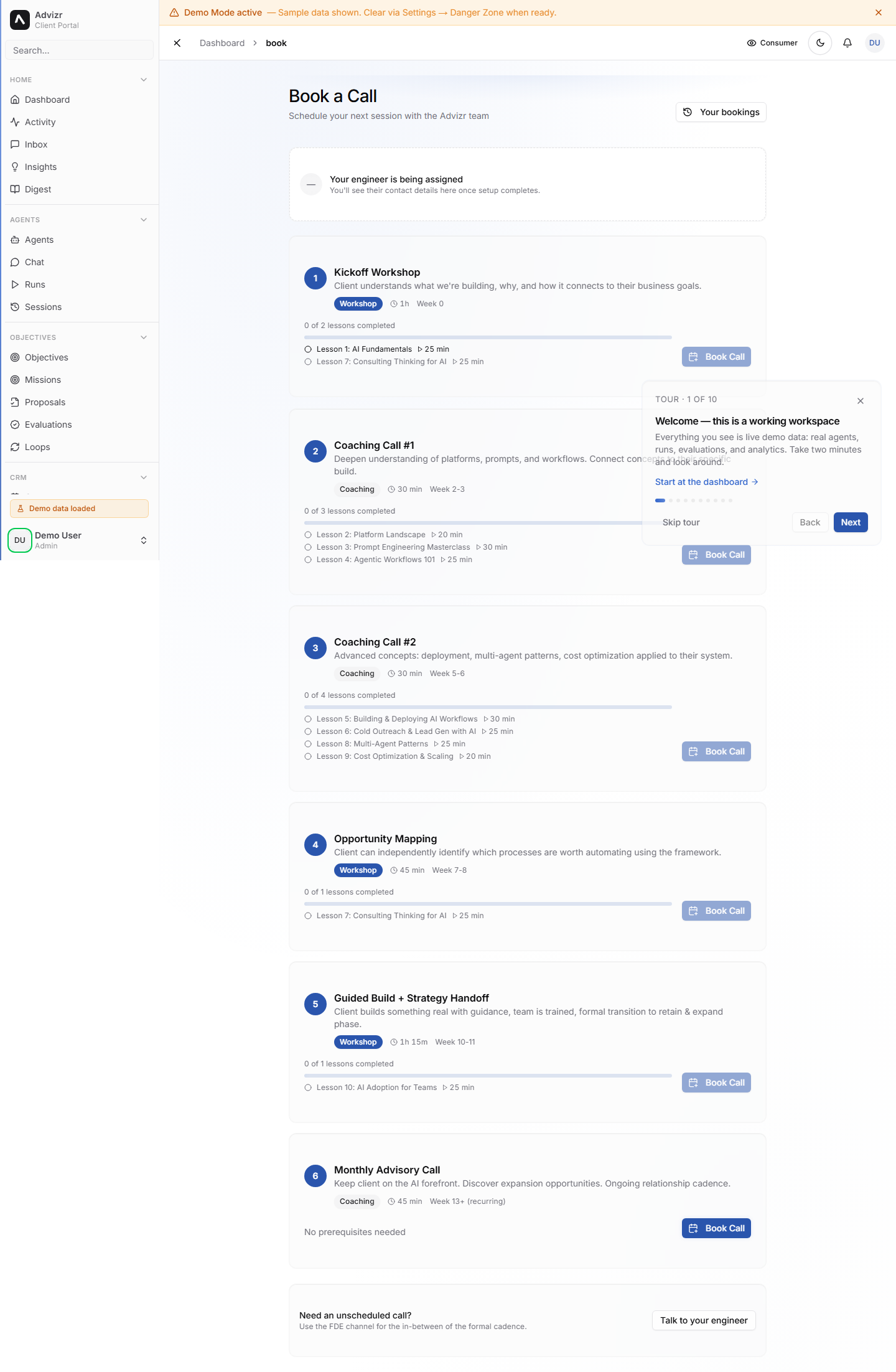
Step four of the onboarding wizard is scheduling your kickoff call. This is your first live conversation with your Fractional Digital Engineer (FDE) — the Advizr team member assigned to your engagement. The call sets the direction for your first month and makes sure your objectives and documents are properly understood.
What happens on the kickoff call#
The kickoff call is typically 30-45 minutes. Your FDE will:
- Review the objectives you set during onboarding
- Discuss the documents you uploaded and ask clarifying questions
- Explain what will be built in your first month
- Walk you through the platform features you will use most
- Answer any questions you have about the process
You do not need to prepare a presentation or formal brief. Come with your objectives in mind and any questions about how AI can help your business.
What is an FDE?
Your Fractional Digital Engineer is a dedicated Advizr team member who manages your engagement. They build your workflows, configure your AI tools, and meet with you regularly to review progress and adjust the plan.
Book the call#
The wizard shows a calendar with your FDE’s available time slots. Times are displayed in your local timezone.
Click on a time that works for you. Morning and afternoon slots are usually available within the next few business days.
Review the date, time, and duration, then click Confirm to lock in the appointment.
You should now see a booking confirmation in the wizard and a calendar invite with a video call link in your email inbox.
After the call#
After your kickoff call, your FDE will send you a summary of what was discussed and a list of action items. These typically include:
- Specific workflows that will be built in the first sprint
- Any additional documents they need from you
- A timeline for your first deliverables
- The date for your next check-in call
You can always rebook or reschedule from the Book a Call section of your dashboard.
Book Your Kickoff CallIf something goes wrong#
- No time slots work for you. Slots refresh as your FDE’s calendar changes — check back the next business day, or send a message in Interact with the times you can do.
- The calendar invite never arrived. Check your spam folder and confirm the email address on your profile is correct. Your booking still exists — the time is shown in the Book a Call section.
- You need to reschedule. Open Book a Call and pick a new time. Rescheduling before the call costs you nothing.
- The video link does not work at call time. Reply to the calendar invite or message your FDE in Interact — they will send a fresh link.
Still stuck? Message your FDE in Interact with your browser, a screenshot, and when it happened.